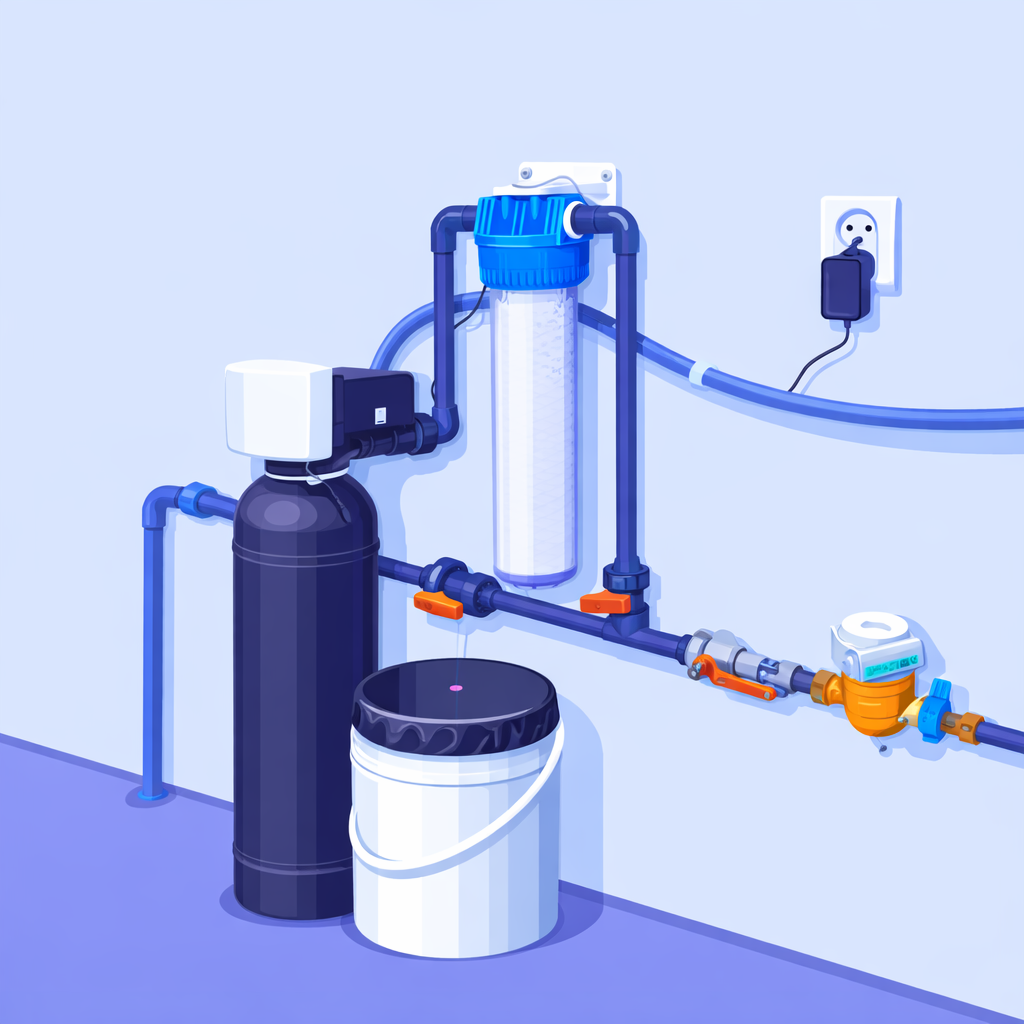
Water softener with Wi‑Fi isn’t about a “trendy gadget”. It’s about the practical stuff: seeing your water flow online, understanding system load, having a usage history, and spotting unusual behaviour quickly. That’s exactly how iBregus PRO works — a range of intelligent water treatment systems with Wi‑Fi connectivity and a private iBregus User Panel.
It’s a good fit for flats, private houses, and small to medium-sized businesses. The idea is simple: the system doesn’t force you to “live next to the equipment” — it gives you data, control, and predictability.
Who iBregus PRO is for
People choose iBregus PRO when it matters to:
- manage the system without constant “on-site” checks
- understand real consumption instead of guessing
- see the system by individual columns (particularly useful in multi-column setups)
- plan servicing and regeneration in a predictable way
- have data to analyse (especially in business settings)
The iBregus PRO range
Core systems
- iBregus PRO SB — intelligent water softeners
- iBregus PRO ED — intelligent iron removal systems
- iBregus PRO MB — intelligent multi-filtration systems
- iBregus PRO CF — intelligent activated carbon columns
- iBregus PRO SA — intelligent nitrate filters
- iBregus PRO BIO — intelligent filters for organic compounds
- iBregus PRO SF — intelligent sulphate filters
Combined solutions
- iBregus PRO ZW — softening + carbon filtration
- iBregus PRO SB/BIO — softening + removal of organic compounds
- iBregus PRO MB/BIO — multi-filtration + removal of organic compounds
- iBregus PRO SB/SA — softening + nitrate removal
- iBregus PRO MB/SA — multi-filtration + denitrification
Why Wi‑Fi matters in water treatment
When a system sits in a boiler room, cellar, or a technical area, “traditional operation” usually looks like this: “it works — don’t touch it”, “something happened — you find out too late”, “need to check it — you have to go on site”.
A water softener with Wi‑Fi changes the approach: you get online data, history, and control. With iBregus PRO, that’s delivered through the iBregus User Panel.
The iBregus User Panel
The panel is private (QR sign-in), so the data and controls are available only to the owner. It’s not built “for show” — it’s built for day-to-day operation.
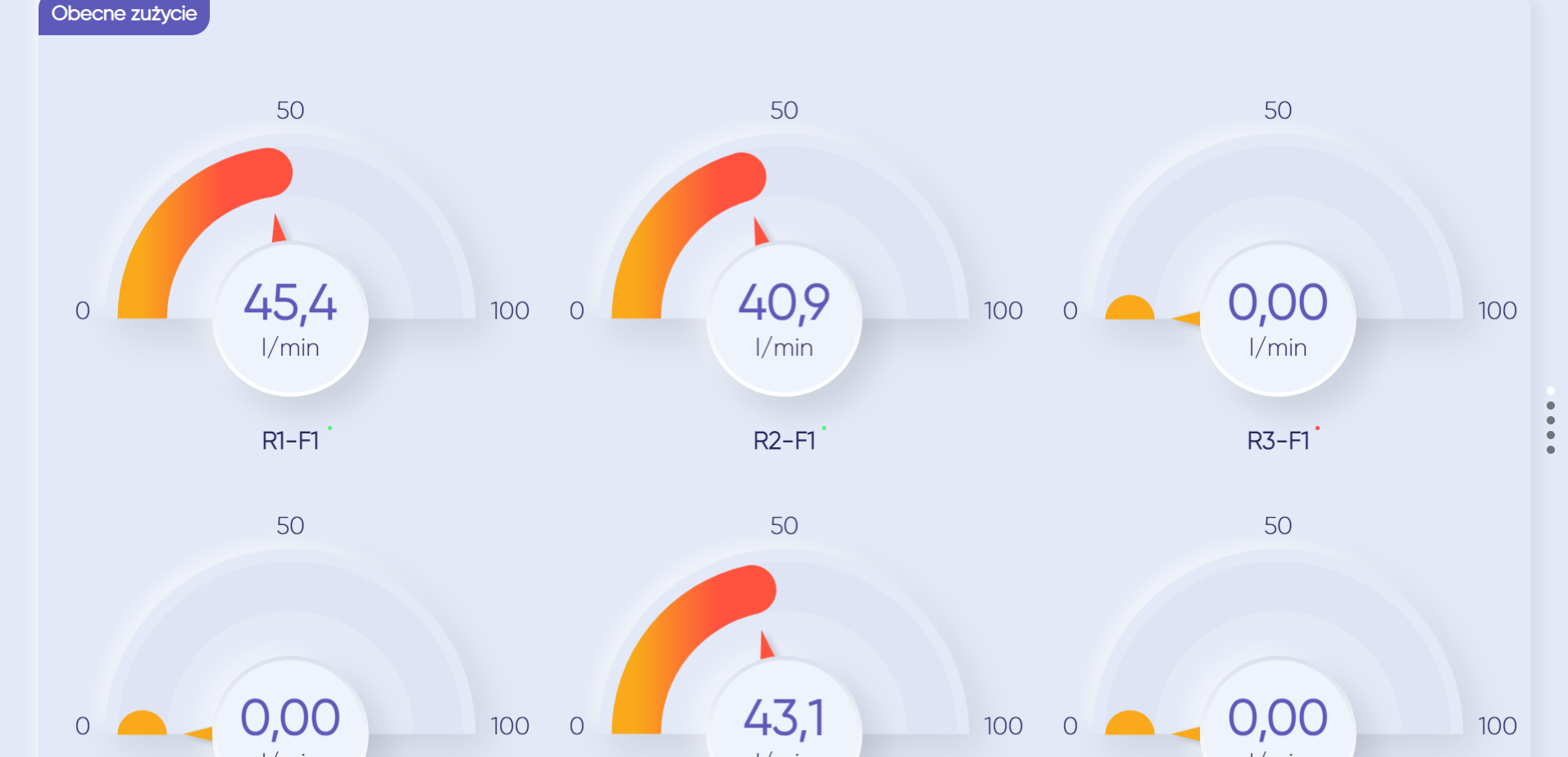
Current consumption
This screen shows real-time flow in L/min. Crucially, readings are displayed for each column separately. That makes it easy to see load straight away and quickly spot deviations.
Chart
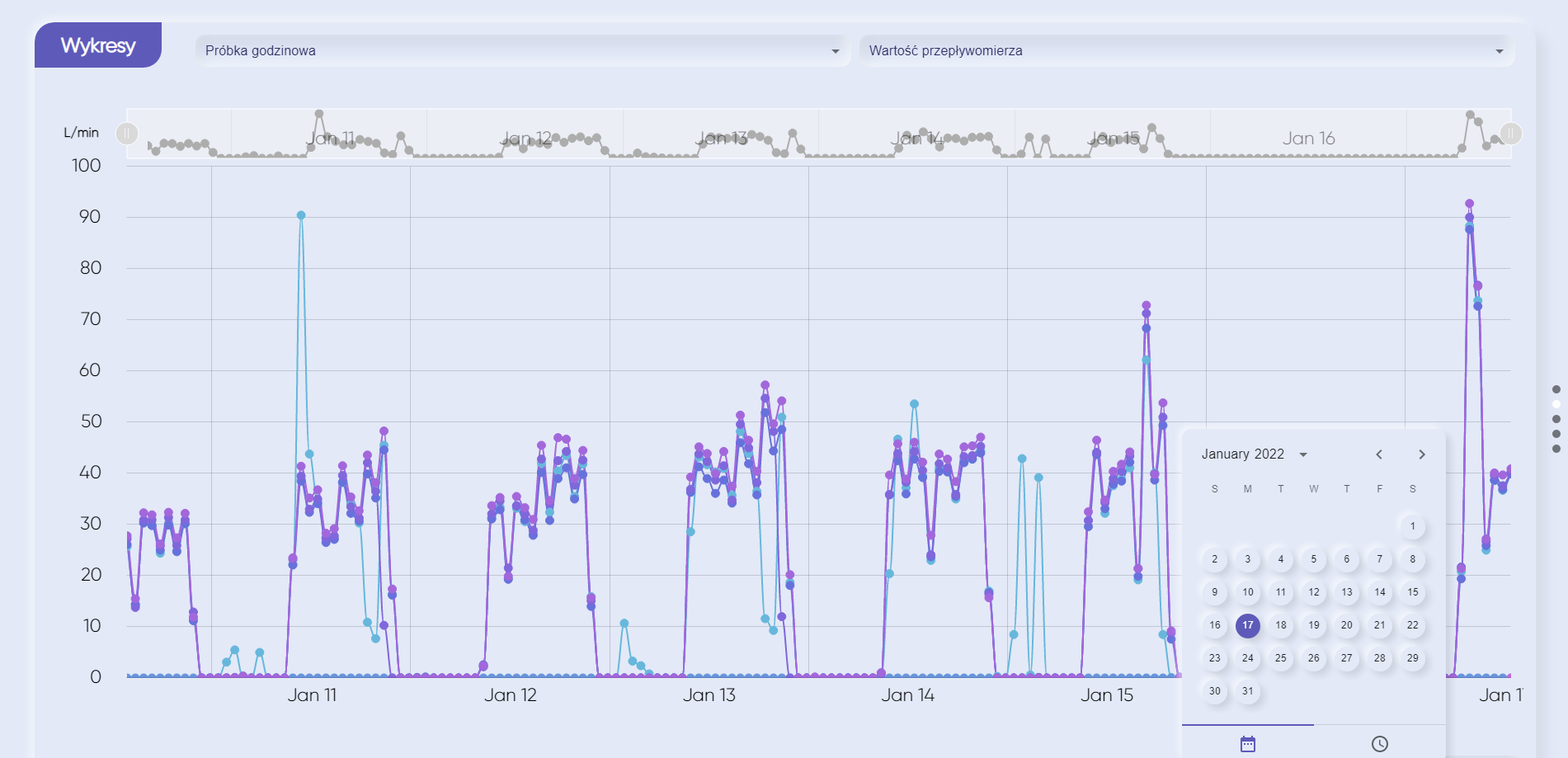
Consumption charts in L/min for any period: a minute, an hour, a day, or a month. It’s handy when you need to:
- see peak demand
- assess how the site is operating
- compare periods (before/after changes)
- identify suspicious “spikes”
Filtered-water consumption chart in the iBregus PRO User Panel
Diagram
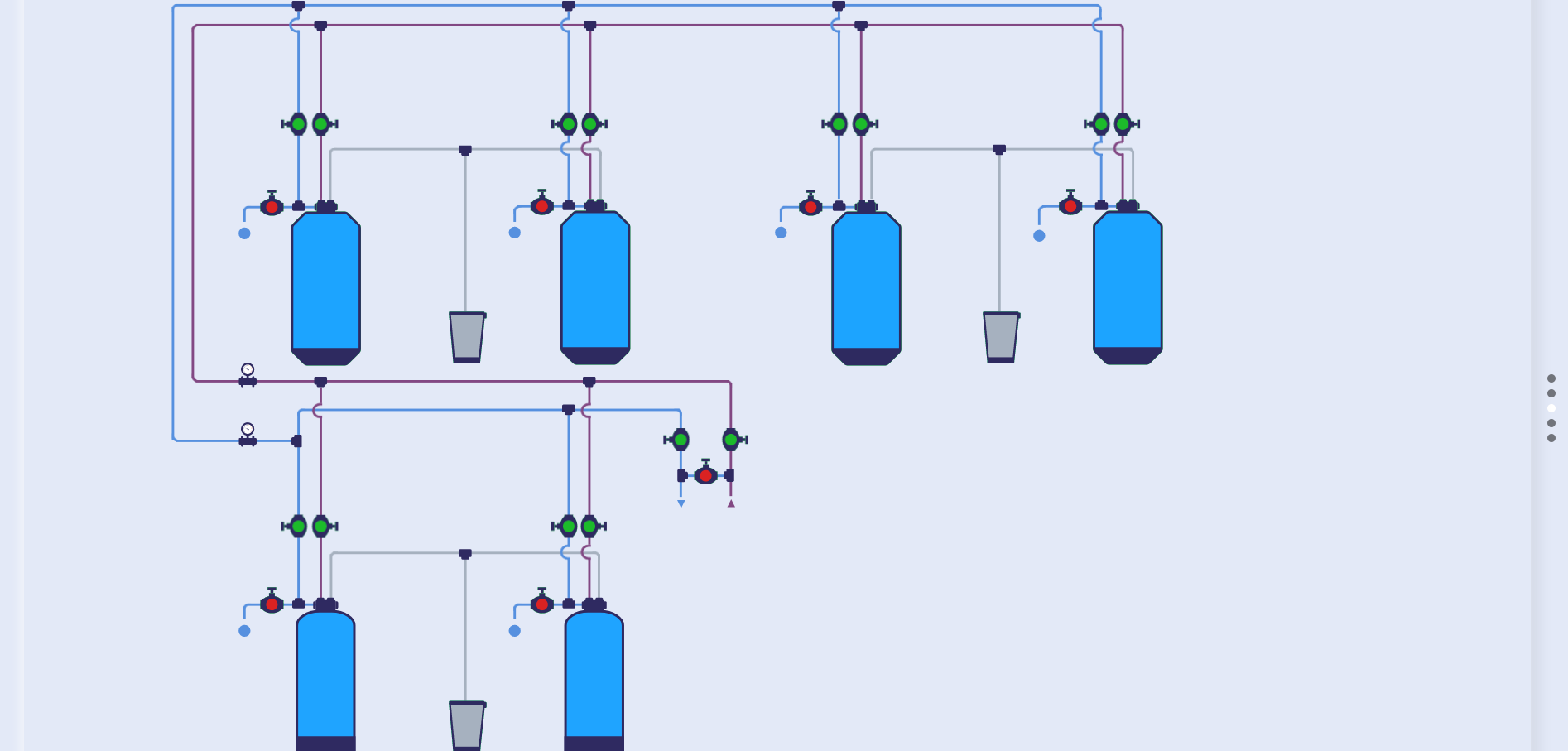
A system diagram: pipes, valves, bypasses, columns, pressure gauges, brine tanks. Valve and bypass positions are colour-coded:
- green — open
- red — closed
One glance and you know the system’s current state.
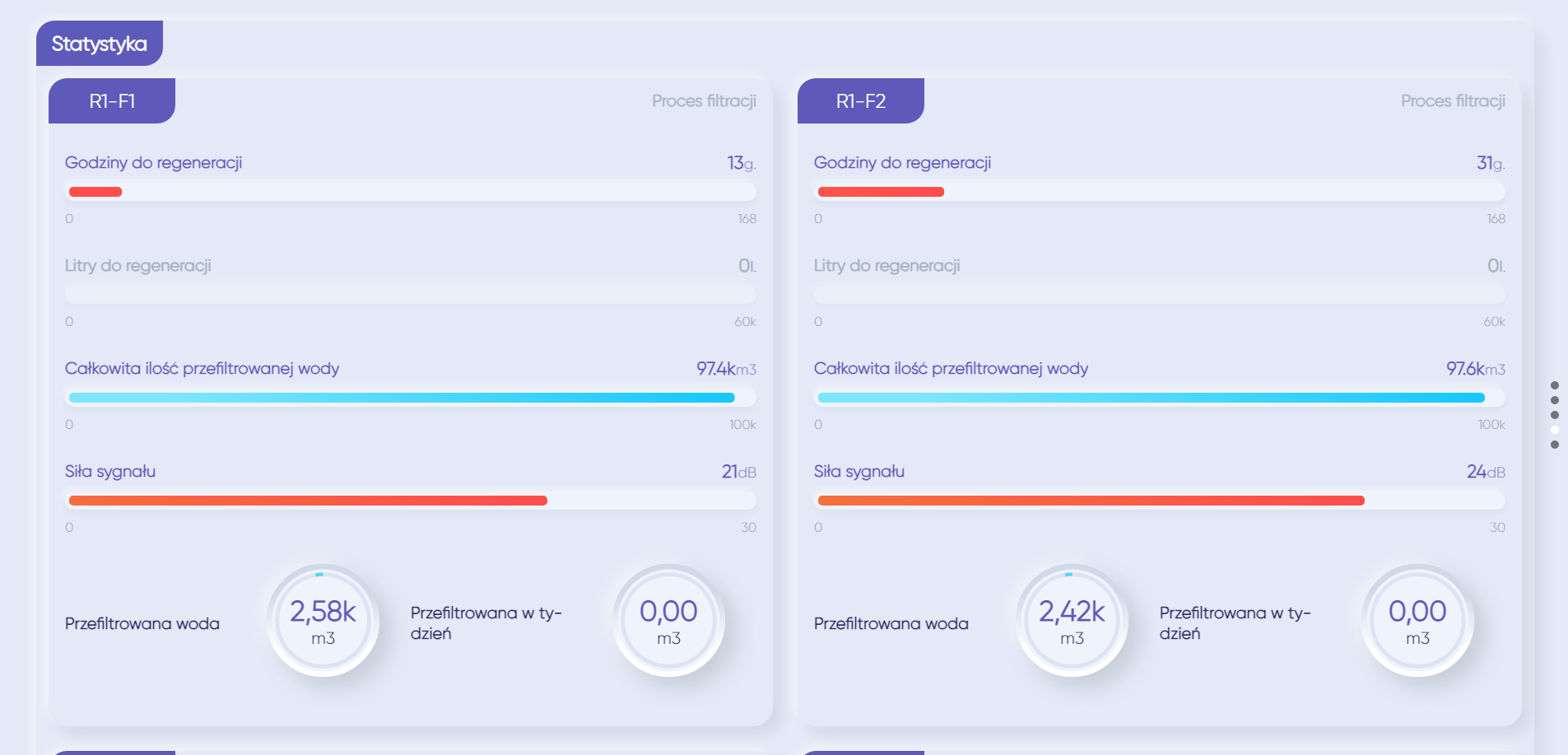
Statistics
Key indicators for each column:
- hours to regeneration (or litres to regeneration)
- volume of filtered water
- Wi‑Fi signal strength
- weekly filtered-water total
Shown per column, because the columns regenerate in sequence.
Table
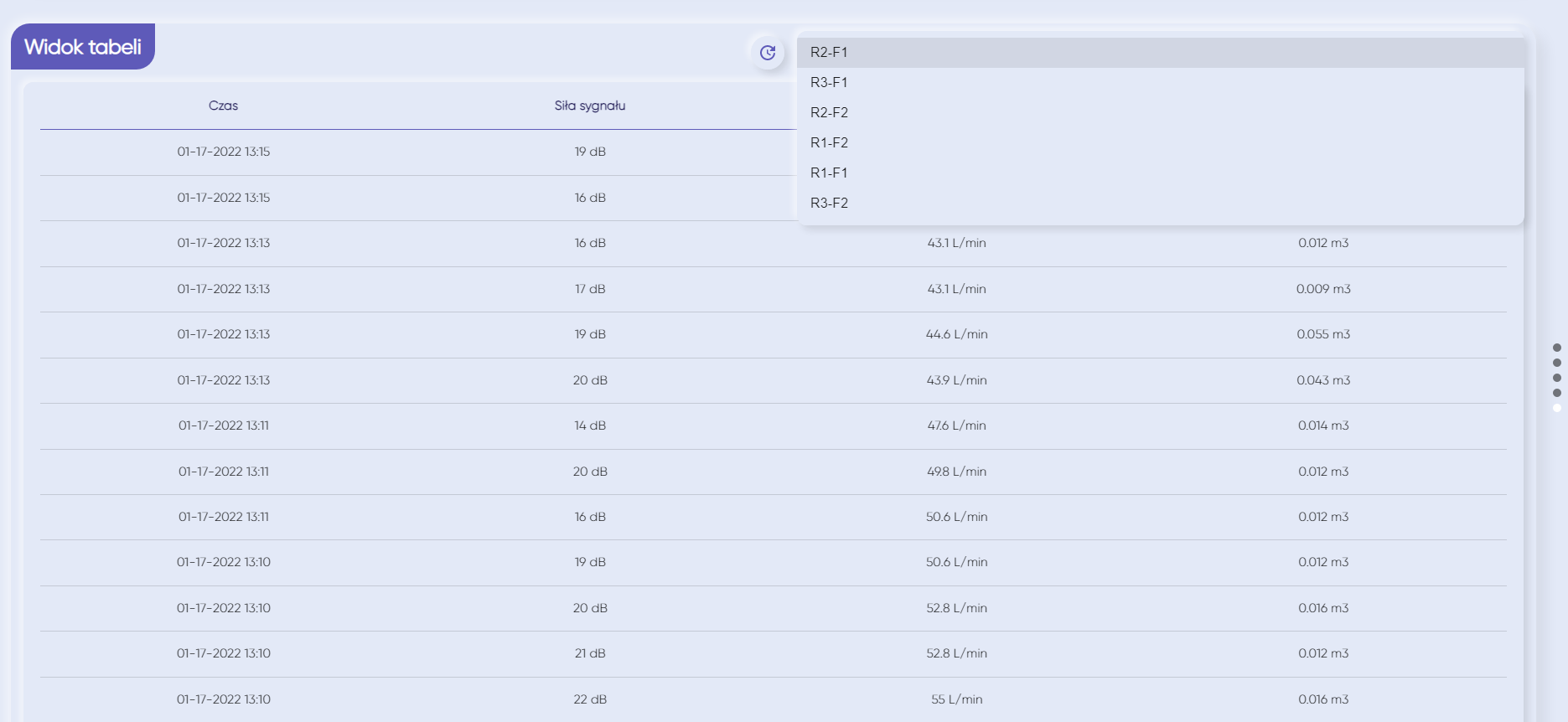
A measurement table every 2–3 minutes: time, signal strength, flow rate, water volume for that interval. This makes it possible to find and prove unusual events with hard data (flow jumps, consumption peaks, unstable connection, etc.).
Options at the design stage
iBregus PRO can be designed as a system with extensions. At the design stage, additional components can be planned in, including:
- flow meters
- bypass position and bypass control sensors
- power supply sensor
- backup/emergency power (UPS)
- water leak sensor
- remotely controlled shut-off valve
- drain-to-sewer discharge sensor
- continuous internet communication module
This matters because it’s best to plan these things in from the start — then the system works as a coherent solution tailored to the site.
Standard filter vs Water softener with Wi‑Fi
A standard filter can deliver decent water quality, but control often comes down to on-site checks and very limited history.
A Water softener with Wi‑Fi is a different way of running the system: online control, history, analytics, and faster problem detection. iBregus PRO adds column-level detail and technical data captured at short intervals.
What the owner gets with iBregus PRO
iBregus PRO is water treatment that doesn’t “hide away” — it runs transparently: you can see flow in L/min, charts, the system diagram, per-column statistics, and a measurement table updated every 2–3 minutes. And at the design stage, you can specify options for the site — from node monitoring to safety scenarios.